
Anında Teslimat
Lisanslı Epinler
Güvenli Ödeme
Anında Teslimat
Lisanslı Epinler
Güvenli Ödeme
Points
Platform
Bölge
Anında Teslimat
Lisanslı Epinler
Güvenli Ödeme
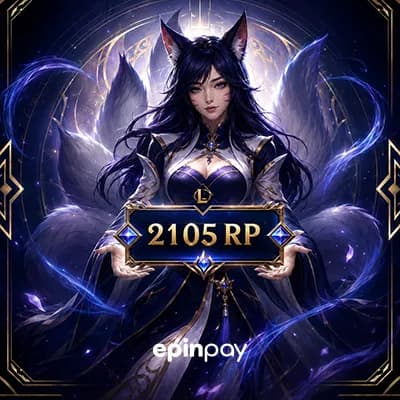
League of Legends oyuncuları için doğru miktarda RP seçmek büyük önem taşır. 2105 RP, özellikle orta seviye kostümler, küçük içerik paketleri veya mağazada yapılan hızlı alışverişler için en çok tercih edilen seçeneklerden biridir. Bu paket sayesinde sevdiğiniz şampiyon için kostüm alabilir, toplanan RP ile etkinlik mağazalarındaki özel içeriklere erişebilir veya oyun içi avantaj sağlayacak ögeleri hesabınıza ekleyebilirsiniz.
Türkiye’ye özel uygun fiyatlarla RP alabilir,
Güvenli ödeme yöntemlerini (banka kartı, kredi kartı, Gpay vb.) tercih edebilir,
Ve en önemlisi, RP kodunuzu anında teslim alarak beklemeden kullanmaya başlayabilirsiniz.
RP kodları, Riot Games’in resmi sistemine uygun şekilde hazırlanır. Bu da satın aldığınız içeriği sorunsuz şekilde etkinleştirmenizi sağlar. Özellikle Türkiye’deki oyuncular için hızlı teslimat ve güvenilir hizmet arıyorsanız, doğru adrestesiniz.
Oyun deneyiminizi bir üst seviyeye taşımak, sevdiğiniz şampiyonlara özel görünüm kazandırmak ya da etkinlik fırsatlarını kaçırmamak için hemen 2105 RP paketini tercih edebilirsiniz.
 ₺470.53₺490.99
Epinpay’den satın aldığınız League of Legends RP ürünü, Riot hesabınızda kullanabileceğiniz dijital bir RP / Riot PIN kodu olarak teslim edilir. Kodu kullanmadan önce ürünün bölgesinin Riot hesabınızla uyumlu olduğundan emin olun.
1. ADIM
Epinpay’de League of Legends RP kategorisine girin.
2. ADIM
Satın almak istediğiniz RP paketini seçin. Ürün adındaki RP miktarını ve bölge bilgisini kontrol edin.
3. ADIM
Ürünü sepete ekleyin veya Buy Now seçeneğiyle ödeme adımına geçin.
4. ADIM
Ödeme işlemini tamamlayın.
5. ADIM
Sipariş tamamlandıktan sonra LoL RP kodunuz Epinpay hesabınızda veya kayıtlı e-posta adresinizde görüntülenir.
1. ADIM
League of Legends istemcisini açın ve RP yüklemek istediğiniz Riot hesabınıza giriş yapın.
2. ADIM
Ana menüden Mağaza / Store alanına girin.
3. ADIM
Mağaza ekranında Hesap / Account simgesine tıklayın ve Kod Kullan / Redeem Codes alanını açın.
4. ADIM
Epinpay’den aldığınız LoL RP kodunu ekrandaki kod alanına eksiksiz girin.
5. ADIM
Submit / Gönder butonuna tıklayarak işlemi onaylayın.
6. ADIM
İşlem başarılı olduktan sonra RP bakiyenizi League of Legends hesabınızdan kontrol edin.
Önemli: LoL RP kodları bölgeye özel olabilir. Satın aldığınız ürünün bölgesi ile Riot hesabınızın bölgesi uyumlu olmalıdır. Riot hesap şifrenizi, e-posta doğrulama kodunuzu veya iki aşamalı doğrulama kodlarınızı kimseyle paylaşmayın.
Volkan E.03.02.2026
Hızlı teslim edildi, sorunsuz çalıştı. Teşekkürler.
Melodi İ.04.12.2025
hızlı ve güvenilir.
Rabia B.26.05.2025
Desteğe yazdım bir dakika içinde cevap geldi cidden sıçakkanlılar
Sibel E.08.04.2025
Joker hakkı gibi hep elimde dursun istiyorumç
 ₺466.09
Premium ol 241 EP kazan
Ep Puan ne işe yarar?
Güvenli alışveriş
Güvenilir +200 ödeme yöntemi


Anında Teslimat
7/24 Destek
Doğrulanmış Satıcılar
₺466.09Premium ol 241 EP kazan