
Instant Delivery
Licensed Epins
Secure Payment
Instant Delivery
Licensed Epins
Secure Payment
Points
Platform
Region
Instant Delivery
Licensed Epins
Secure Payment
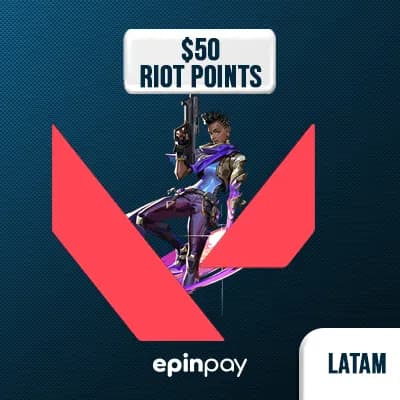
Unlock a world of skins, Battle Passes, and premium content in Valorant with this $50 USD Riot Gift Card for LATAM servers. Instantly delivered as a secure e-pin, this code allows you to load up on Valorant Points (VP) without needing a credit card.
Perfect for players who want to go all-in on exclusive bundles and high-tier cosmetics.
✅ Valorant Gift Card – $50 USD
✅ Redeemable for VP (Valorant Points)
✅ Server Region: LATAM (Latin America)
✅ Instant code delivery by email
✅ Official Riot-authorized e-pin
💼 Premium skin bundles (Prime, Oni, Reaver)
🎟️ Full Battle Pass + tiers
🛡️ Radianite Points for upgrading
🎁 Gifting VP to friends on the same server
Visit Riot’s official redeem page
Log into your LATAM Riot Account
Select Prepaid Cards & Codes
Enter your Epinpay code
Your VP will be credited instantly
🔒 Note: This gift card works only on LATAM Riot accounts. It is region-locked and cannot be used outside LATAM.
⚡ Instant email delivery, 24/7
🔐 100% secure Riot-certified seller
💳 No need for credit card or PayPal
🌎 Choose your region & pay your way
The Valorant VP product you purchase from Epinpay is delivered as a digital code. You can redeem this code through the VALORANT game client and add the VP to your Riot account balance.
STEP 1
Open the Valorant VP category on Epinpay.
STEP 2
Choose the VP package you want to buy. Check the VP amount and region information in the product name.
STEP 3
Add the product to your cart or continue with the Buy Now option.
STEP 4
Complete the payment process.
STEP 5
After your order is completed, your Valorant VP code will be available in your Epinpay account or sent to your registered email address.
STEP 1
Open the VALORANT game client and log in to the Riot account where you want to add VP.
STEP 2
Click the VP / Valorant Points icon in the upper-right area of the game client.
STEP 3
Select Prepaid Cards & Codes or Riot PIN and Codes from the payment options.
STEP 4
Enter the Valorant VP code delivered by Epinpay into the code field.
STEP 5
Click Submit to confirm the redemption.
STEP 6
After the process is completed, check your VP balance in your VALORANT account.
Important: Valorant VP codes may be region-specific. The region of the product you purchased must match your Riot account region. Do not share your Riot account password, email verification code, or two-factor authentication codes with anyone.
Out of Stock
What are EP Points?
Secure Shopping
Trusted +200 payment methods


Instant Delivery
24/7 Support
Verified Sellers
Out of Stock